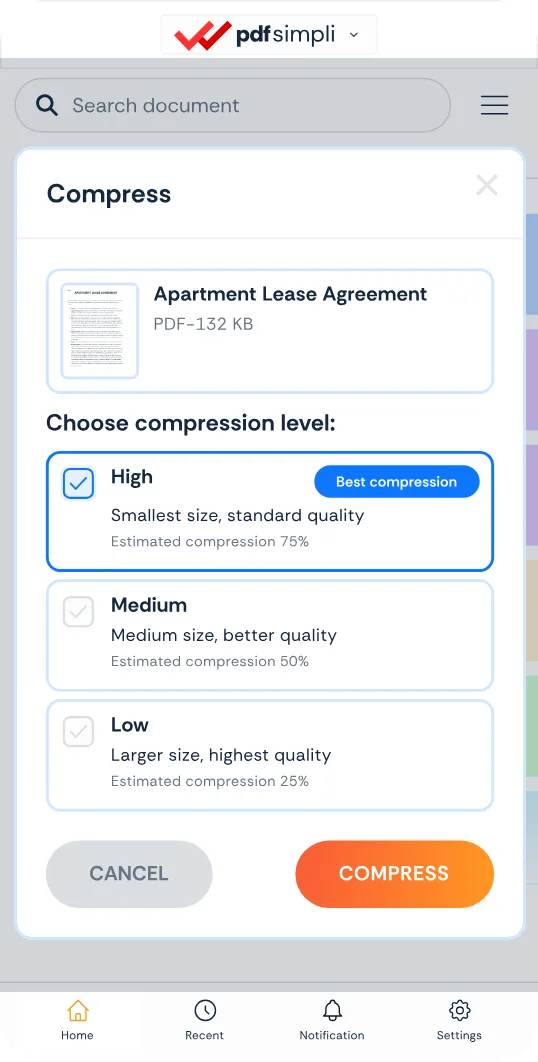
Fast online file compression

Reduce the size of documents, images, audio and video files to reclaim disk space and bypass email attachment limits

Compress office docs, presentations, media tracks, and archives with lossless efficiency
Bypass strict 20MB–25MB email attachment caps on Outlook, Gmail, and Yahoo
Reclaim local and cloud storage space on Google Drive, Dropbox, and OneDrive

24/7 multilingual phone, chat
and email support | +1-844-898-1076

video
Upload Your Files
Drop Files Here to Shrink
or

Everything you can do with CompressSimpli

Do more with AI-powered compression

Turn massive files into manageable ones

  • Shrink office docs (DOCX, PPTX, XLSX), long PDFs, and large media files
  • Turn bulky files into easier-to-share versions effortlessly
  • Keep files lean so they are easier to manage and send
  • Prepare files for uploads, emails, team handoffs, and archiving
A compressed file previewed against its original

Frequently asked questions

Simple answers to your questions

What is file compression?
File compression reduces the amount of data needed to store a file. Depending on the file type and method used, it can reduce file size while preserving the content you need.
Which files are best for compression?
Large PDFs, high-resolution images, recordings and video files are common candidates. Files with extra visual, audio or embedded data often have the most room for size reduction.
Does file compression reduce quality?
It can, depending on the compression level you choose. Documents may remain visually similar, while images, audio and video can trade some quality for a smaller file size. Choose the lowest compression level to maintain the highest quality.
Can compressed files still be emailed?
Yes. Compression is often useful before email because it can bring a large attachment below the size limit set by an email provider or recipient system.
Making compression simple
The CompressSimpli app showing a file before and after compression
Compress simpli tools