Reduce PDF size in one click

Shrink PDFs to meet upload thresholds on government sites, job application portals, and university submissions

Automatically reduce oversized PDFs for email, uploads or storage
Easily fit federal/state e-filing, USCIS, Workday, and ATS resume size limits
Reduce PDF size without rebuilding pages or losing quality

24/7 multilingual phone, chat
and email support | +1-844-898-1076

video
Upload Your Files
Drop Files Here to Shrink
or

Everything you can do with CompressSimpli

Do more with AI-powered compression

Turn massive files into manageable ones

  • Strips bloated PDFs and turn them into submission-ready PDFs
  • Customizable PDF shrinking from your browser on any device
  • Share documents easier with smaller attachments
  • Precision file-slimming that eliminates upload rejections
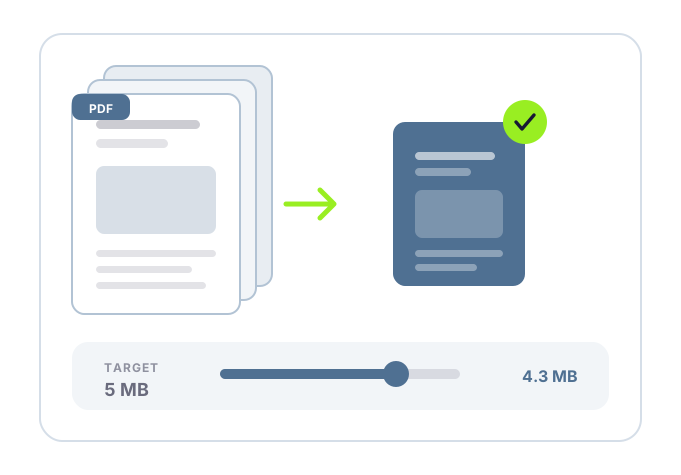
A PDF being reduced to a target size

Frequently asked questions

Simple answers to your questions

How can I reduce a PDF size?
Use a PDF compression tool to create a smaller version of the document. This process can reduce image data and other file elements that contribute to a large file size.
What is a good PDF size for email?
The acceptable size depends on your email provider and the recipient’s system. If an attachment will not send, reducing the PDF size can help bring it within the allowed limit.
How do I reduce PDF size without losing readability?
Use a moderate compression level and review the result carefully. Text should remain readable, and important graphics, signatures, form fields and scanned pages should still display correctly.
Why does a PDF need to be smaller for upload?
Many online forms and portals limit the size of uploaded documents. A smaller PDF can help you submit resumes, reports, applications and supporting files without an upload error.
Making compression simple
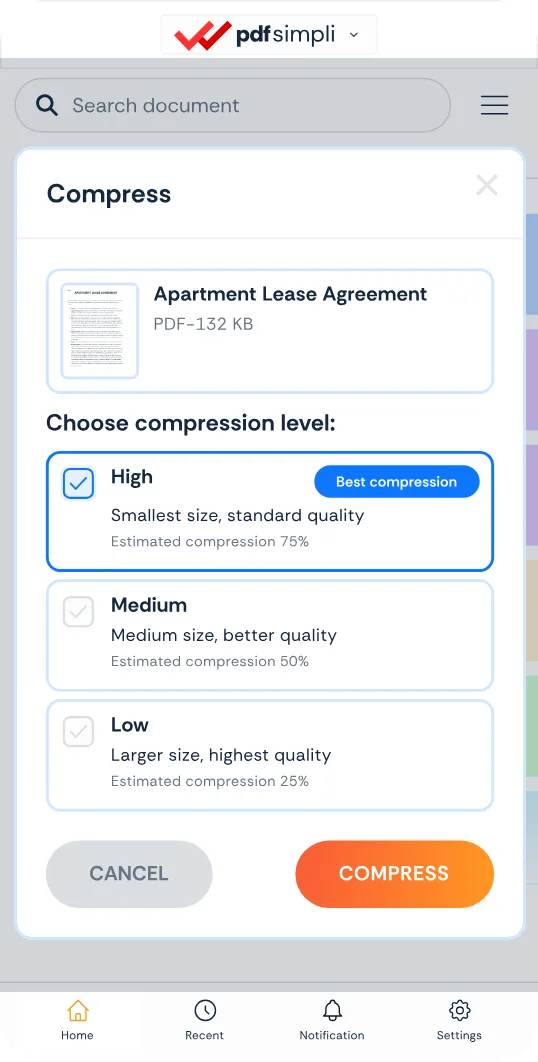
The CompressSimpli app showing a file before and after compression
Compress simpli tools